


Navily - Your Cruising Guide
3.921.00 Reviews
App Specs
- Version
- 5.43.0
- Updated On
- License
- Free
- Downloads
- 500,000+
- Developer
- Navily
- Categories
- Travel & Local
- Platform
- Android
Screenshots
 Analysis by AppCompare
For a coastal passage, choosing where to stop can be as important as choosing where to sail. Navily - Your Cruising Guide puts anchoring spots and marina planning in one place, with community notes that can add useful context beyond a chart. I find it most appealing when I want to compare possible stops before committing, rather than rely on a single map or make every decision at the last minute. It is a free travel app from Navily, though some in-app purchases are offered.
A planning companion, not a substitute for seamanship
The app makes the most sense as one tool in a sailor’s planning routine. Its map and location information can help narrow down a shortlist, while shared reports offer clues about what a stop may be like in practice. That is valuable when I am unfamiliar with a stretch of coast, but I would still check current conditions and use the navigation resources I normally trust. Community information can guide a decision; it cannot guarantee that a place will suit a particular boat, weather window, or crew.
That distinction matters most for anchoring. A spot that sounds peaceful in a review may not be appropriate when wind or swell shifts, and a marina that appears convenient may not match the needs of a specific vessel. I would treat Navily as a way to ask better questions before arrival: what alternatives are nearby, what have other sailors noticed, and should I investigate a berth instead? The final call still belongs to the skipper.
Useful details for choosing a stop
Ever found yourself sailing along the beautiful coastline, feeling the wind in your hair, and then suddenly... you're not quite sure where to dock for the night? Enter Navily - Your Cruising Guide. This app is like having a knowledgeable skipper in your pocket, ready to guide you through the seas with ease.
Navigating with Navily
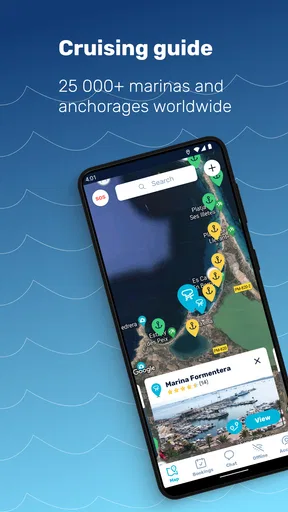
Right off the bat, Navily offers a user-friendly interface that feels like it’s been designed with sailors in mind. The app provides detailed information on over 15,000 anchorages and marinas worldwide. That’s right, whether you’re cruising the Mediterranean or exploring the Caribbean, Navily has got you covered.
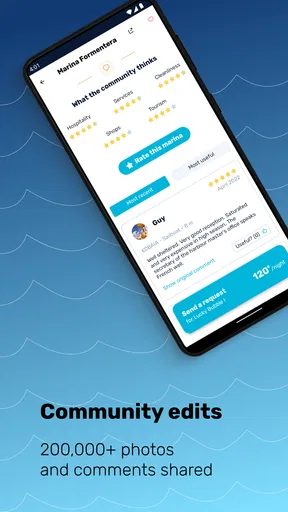
What I love the most is the community-driven aspect of Navily. Users can share their experiences, leave reviews, and even upload photos of anchorages and marinas. It’s a bit like TripAdvisor but for sailors. You can get the lowdown on whether a marina is as picturesque as it claims or if an anchorage is sheltered enough for a good night’s sleep.
Features That Stand Out
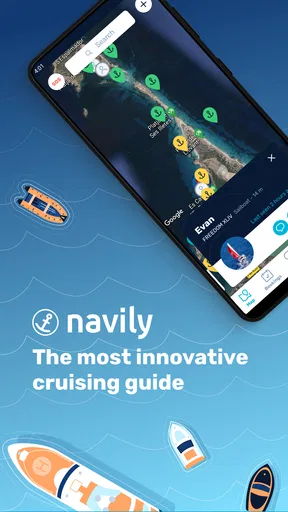
One standout feature is the interactive map. You can easily zoom in on your desired location, and voila, you’ve got a list of nearby anchorages and marinas. Each spot comes with a plethora of information, from pricing to amenities.
Worth Reading Before You Choose

EA SPORTS FC Mobile 26 Is a Bigger Football Game, but It Takes Time

Flipboard Shows What News Apps Must Do Beyond the Feed

Switching to Android Auto Means Rethinking Your Driving Routine

Google Calendar Makes a Crowded Week Easier to Manage

Ludo King Makes the Most of the Minutes Between Plans

Baby Panda World Brings Quick Play to Modern Phones, but Its Game Library Feels Busy
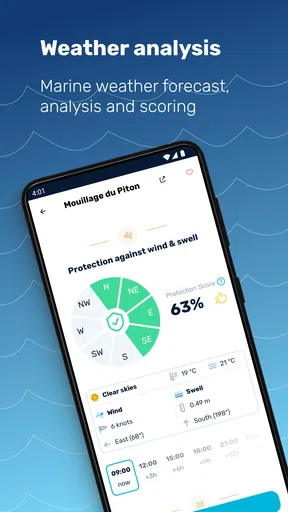
The app also offers a weather forecast feature, which is crucial when you’re out at sea. You can check the wind speed, direction, and other weather conditions to plan your sailing trip accordingly. It’s like having your personal weather station onboard.
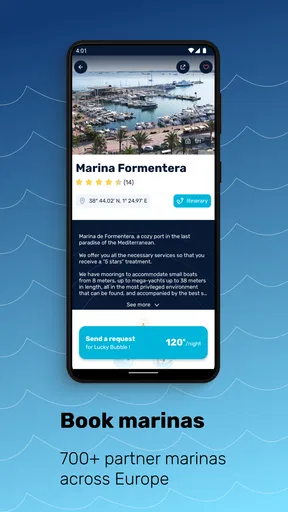
Booking a berth has never been easier. With Navily, you can reserve a spot at participating marinas directly through the app. No more last-minute scrambling to find a place to dock. It’s all sorted with a few taps on your phone.
Community and Connectivity
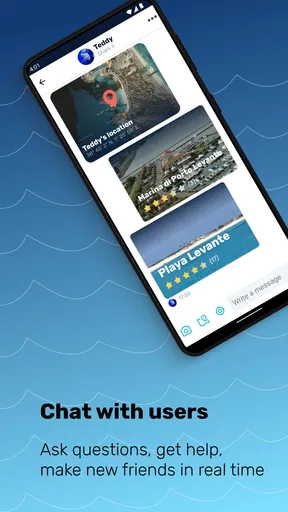
One of the things that makes Navily so special is its vibrant community. Fellow sailors share their tips and insights, making it a rich resource for any cruiser. You can even connect with other sailors through the app, which is great for swapping stories or getting advice.
The app also allows you to create a profile and save your favorite anchorages and marinas. This feature is particularly useful if you often sail the same routes or want to keep track of places you’d like to visit in the future.
Making a practical passage plan
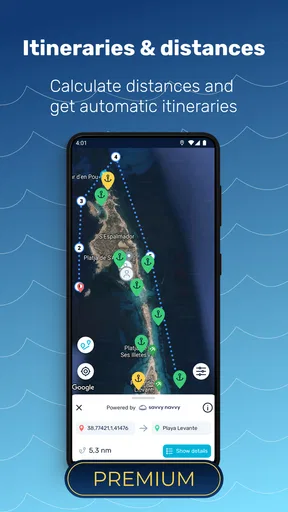
For a realistic day on the water, I would use the map before leaving rather than wait until everyone is tired and looking for a berth. I can compare candidate stops along the route, read reports and look at photos, then save the promising places as a small personal list. That gives me a primary choice and alternatives to check if the first option no longer looks sensible. It also keeps research focused: I am not scrolling through every coastal listing when the immediate question is simply where to spend the night.
A useful habit is to read community comments for specifics rather than just a general thumbs-up. I look for details that affect my own decision, such as whether a reviewer describes shelter, access, or the character of the surroundings, and I pay attention to how recent or relevant the experience seems. A report is a snapshot, not a promise. Comparing several perspectives is more useful than treating one enthusiastic review as a definitive answer.
Saved places can help beyond a single trip. If I regularly sail the same area, I can keep a short list of anchorages and marinas I want to revisit, then compare that list with the conditions and plans for the day. For a new cruising region, saving a few alternatives before departure can reduce hurried searching later. The trade-off is that a saved favorite should not become an automatic choice: conditions, availability, and the crew’s needs can make yesterday’s preferred stop the wrong one today.
Where it fits among sailing tools
Compared with a general map app, Navily is oriented around the practical question of where a cruiser might stop, with berth booking at participating marinas and sailor-contributed context in the same planning environment. A standard map may be quicker for broad road-style directions or finding ordinary businesses, but it is less focused on comparing anchorages and marina experiences. Conversely, Navily should not be treated as a replacement for dedicated navigation equipment, official charts, or a reliable source of current safety information. These tools answer different questions, and I would use them together rather than expect one app to do everything.
It also differs from simply calling or messaging a marina: booking in the app can make the initial search more convenient where a marina participates, while direct contact may still be the sensible route when a request is unusual or details need clarification. The convenience depends on the particular stop and what is available there. I would check the booking details carefully before relying on a reservation, and keep another plan in mind when arrival timing or conditions are uncertain.
Who will get the most from it
I would recommend Navily most readily to coastal cruisers who regularly compare anchorages with marina stays, especially sailors exploring unfamiliar stretches or planning a route with several possible overnight stops. The community layer is particularly useful for someone who values practical impressions from other boaters, and the saved-place feature suits people who return to favorite cruising grounds. The app can also be handy for a weekend sailor who wants to research a destination before setting out rather than make the first search from the water.
It is less compelling for someone who rarely sails, only needs a general-purpose map, or expects an app to make safety decisions on their behalf. A skipper who already has a trusted workflow for charts, weather, and marina contact may use Navily as a supplementary directory rather than a central tool. That is a reasonable way to approach it: its strongest role is helping discover and assess potential stops, not replacing sound local judgement or established navigation practice.
My Personal Experience
Using Navily feels like having a seasoned sailor sitting beside you, offering advice and insights. I remember one instance when I was sailing around the Greek islands. The app helped me find a secluded anchorage that wasn’t marked on any traditional map. It was a hidden gem, and thanks to Navily, I could enjoy a peaceful night under the stars.
The app also saved me during a sudden weather change. I quickly found a nearby marina with available berths and was able to dock safely without any hassle. It’s moments like these that make Navily invaluable.
Price, availability, and everyday trade-offs
Navily is free to download, with in-app purchases priced from $9.49 to $28.99 per item. I would begin with the free experience and see whether the planning tools and local coverage fit the routes I actually sail before paying for anything. The app is rated for Everyone, has an average rating of 3.9 from around two thousand ratings, and has been installed over 500,000 times. Those figures suggest a substantial audience, but they do not tell me whether reports in a particular bay are plentiful or current; checking the places on my own route is more useful than judging coverage by popularity alone.
The current version is 5.41.7 and it runs on Android 5.0 or later. Navily was released in 2015, so it is an established product rather than a brand-new experiment. Still, version numbers and platform support do not settle the practical questions that matter onboard: whether the relevant destination has helpful entries, whether booking is available at the marina I want, and whether I can use the app comfortably while planning. I would do that research before departure and avoid making the phone my only source of essential information.
Final Thoughts
If you’re a sailor who loves to explore new waters but doesn’t want the stress of finding safe, reliable anchorages, then Navily is a game-changer. It’s comprehensive, easy to use, and backed by a passionate community of sailors.
So, whether you’re a seasoned cruiser or a weekend sailor, give Navily a try. It might just become your favorite first mate, guiding you safely from one beautiful destination to the next. Smooth sailing!
My verdict
For me, the best reason to try Navily is its combination of place discovery, sailor perspectives, saved stops, and marina booking in one travel-focused app. Its value rises when I am planning a coastal itinerary and falls if I need a broad navigation system or immediate certainty about conditions. I would use it to build options, check the context shared by other cruisers, and make a more informed shortlist, while keeping independent safety checks firmly in the routine. If that is the kind of help you want before choosing a stop, it is worth exploring; if you want a single tool to replace charts, weather judgement, and direct confirmation, it is not the right fit.
Pros
- User-friendly interface for easy navigation.
- Comprehensive database of anchorages.
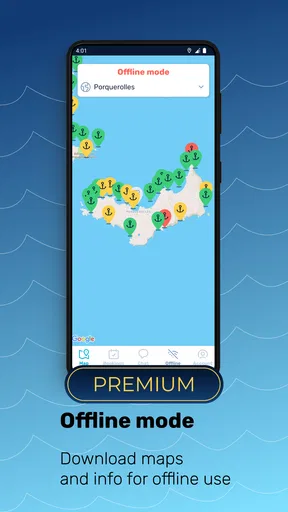
- Offline access to essential charts.
- Community reviews enhance reliability.
- Real-time weather updates included.
Cons
- Limited free features available.
- Requires internet for full functionality.
- Some areas lack detailed information.
- Occasional slow loading times.
- In-app purchases can be pricey.
FAQs for Navily - Your Cruising Guide
What is Navily and how does it work?
Navily is a comprehensive cruising guide app designed for sailors and boaters. It provides detailed information on anchorages, marinas, and mooring spots worldwide. Users can access reviews, photos, and practical information shared by the boating community, making it easier to plan safe and enjoyable trips.
Is Navily free to use, or are there subscription options?
Navily offers a free version with basic features such as browsing anchorages and marinas. For enhanced functionalities like offline access, weather forecasts, and premium content, users can opt for a subscription plan. This provides a more in-depth and ad-free experience, ideal for frequent sailors.
Can Navily be used offline?
Yes, with the premium subscription, Navily allows users to access maps and information offline. This feature is especially beneficial when sailing in areas with limited or no internet connectivity, ensuring you have crucial data at your fingertips whenever needed.
How accurate is the information provided in Navily?
Navily relies on user-generated content, which means information is regularly updated by the boating community. Reviews, photos, and tips are contributed by users who have visited the locations, ensuring up-to-date and practical insights. However, always cross-check critical navigation details.
Does Navily provide weather forecasts?
Yes, Navily offers weather forecasts as part of its premium features. This includes wind, wave, and weather conditions that are crucial for planning safe sailing trips. Accurate weather information helps sailors make informed decisions about their routes and anchorage choices.


